

Legacy: Mina-backed Rollup on Phala
Legacy deployment guide
This guide launches the older Mina-backed stack and uses its wallet and funding assumptions. It is not an Ethereum deployment runbook. Start with Ethereum Operator Getting Started.
In this guide we will cover how to launch your rollup on Phala.
Prerequisites
You will need:
Overview
We are going to:
- Create a phala CVM
- Create a rollup on deployed CVM
Bootstrap process
Create a CVM
On your accounts dashboard click Deploy.
- Paste docker-compose.yaml contents from the Launch a Rollup guide
- Select 32G instance
- Add your public ssh key to be able later to connect to your CVM
- Deploy!
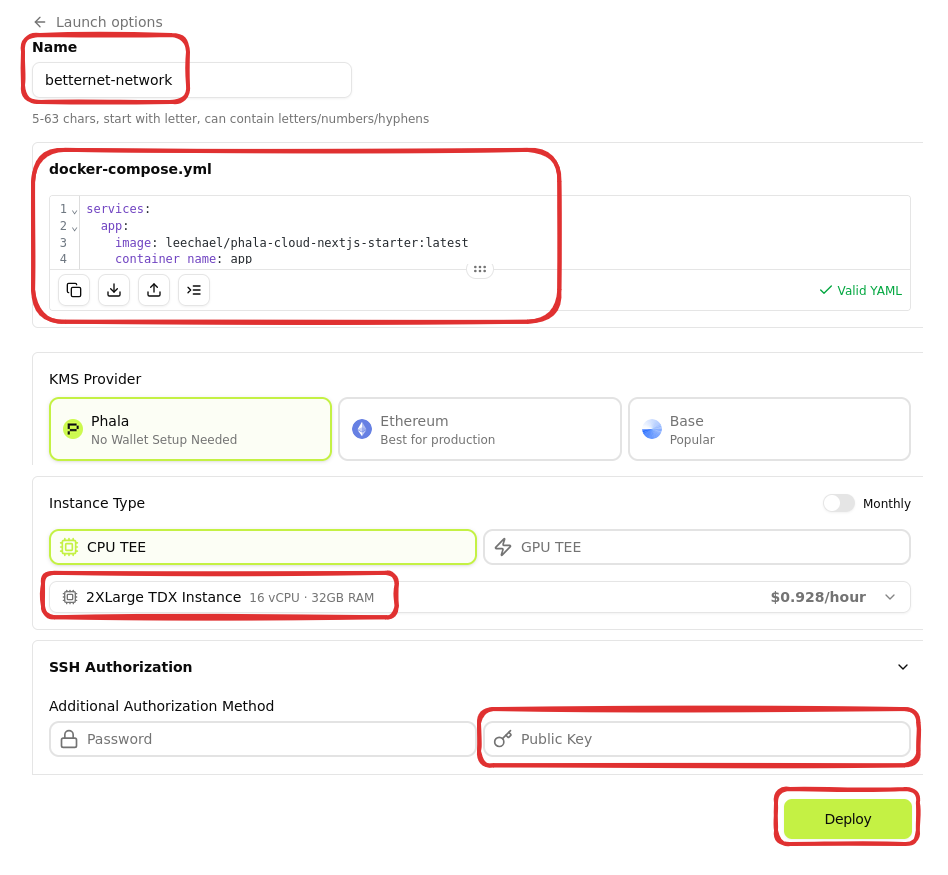
Note: To deploy a rollup we need at least 24G of RAM, therefore we have to select 32G instance (this can be redeployed on a 16G later).
SSH to your CVM
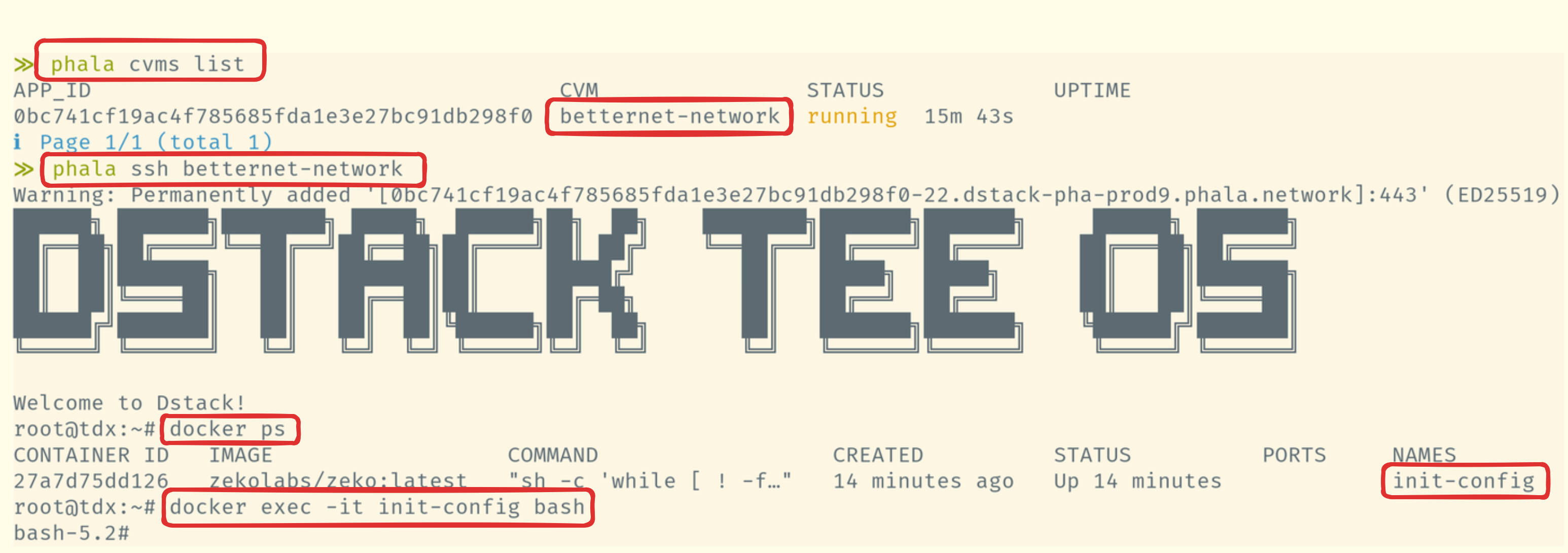
- From your terminal login to your Phala cloud
bash
phala login- Get a list of CVMs
- SSH to a wanted CVM
- You should be able to exec into
init-configcontainer
Bootstrap a rollup
With a working docker setup now you can follow our Launch a Rollup guide.